How do I use AutoEPC24 Remote Catalogs on Android?
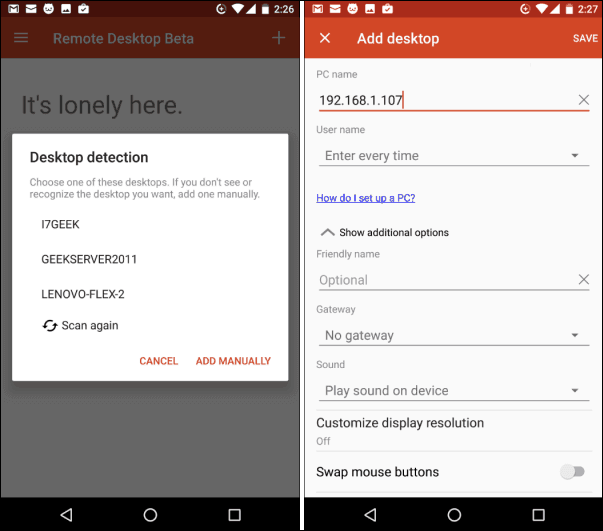
Step 1. Download Microsoft Remote Desktop from the Android app store. First, install it, and then run it. Tap the “+” icon to select desktop, and then wait for the app to search your local network for connected PCs. You must manually add the one you want to connect to if it does not appear automatically.
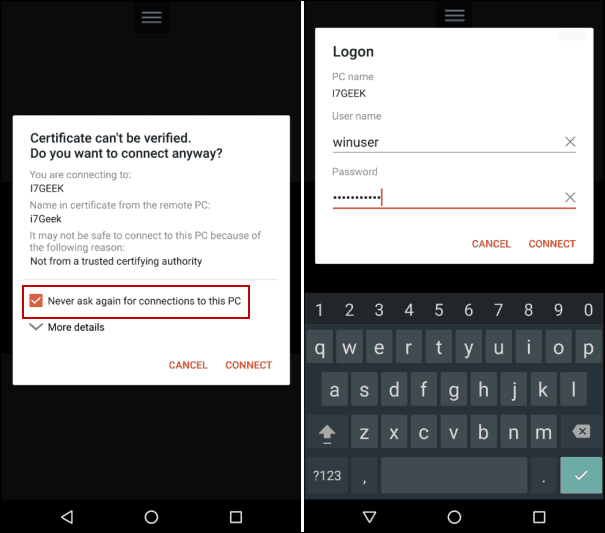
Step 2. A security dialog will appear when you first connect to a remote server. Make sure to check the Never ask for connections to this PC checkbox before tapping Connect. Enter your Windows login information to access the remote PC.
Step 3. There you go. You’re now connected remotely to the Windows laptop you wanted.